Meta
New-hire travel and approvals
Rewrote the travel request flow for new hires, the travel agency and hiring managers, so every email, form and approval screen used the same clear, on-brand language.
- My role
- Content design · Emails, forms and the Approvals tool
- Project focus
At a glance
Project summary
The problem
Booking travel to orientation was one of a new hire's first experiences of Meta's systems, and the language was process-driven and confusing. Many didn't finish on time, and recruiters had to chase them by phone.
My contribution
Redesigned the content across every surface: the emails each audience received, the new hire's travel form and review step, and the reviewer's side of the Approvals tool.
Key decision
Give each audience one email built for its job, and use the same labels in the email, the form and the Approvals tool so everyone could refer to the same fields.
Outcome
A welcoming, on-brand first contact for new hires; a system of emails and screens that shared one language; and an approvals pattern that scaled to hundreds of request types.
Booking travel to orientation is one of the first times a new hire uses Meta’s systems. The language was process-based, unfriendly and confusing. Many new hires didn’t complete it on time, leaving recruiters to follow up with phone calls to get them to campus for their first day.
I redesigned the content for the whole flow: the emails, the travel request in the careers dashboard, and the reviewer’s side of the Approvals tool.
- Audiences: New hires, the travel agency, and hiring managers
- Surfaces: Emails, the careers dashboard and the Approvals tool
Bringing brand tone and voice to the first emails employees receive
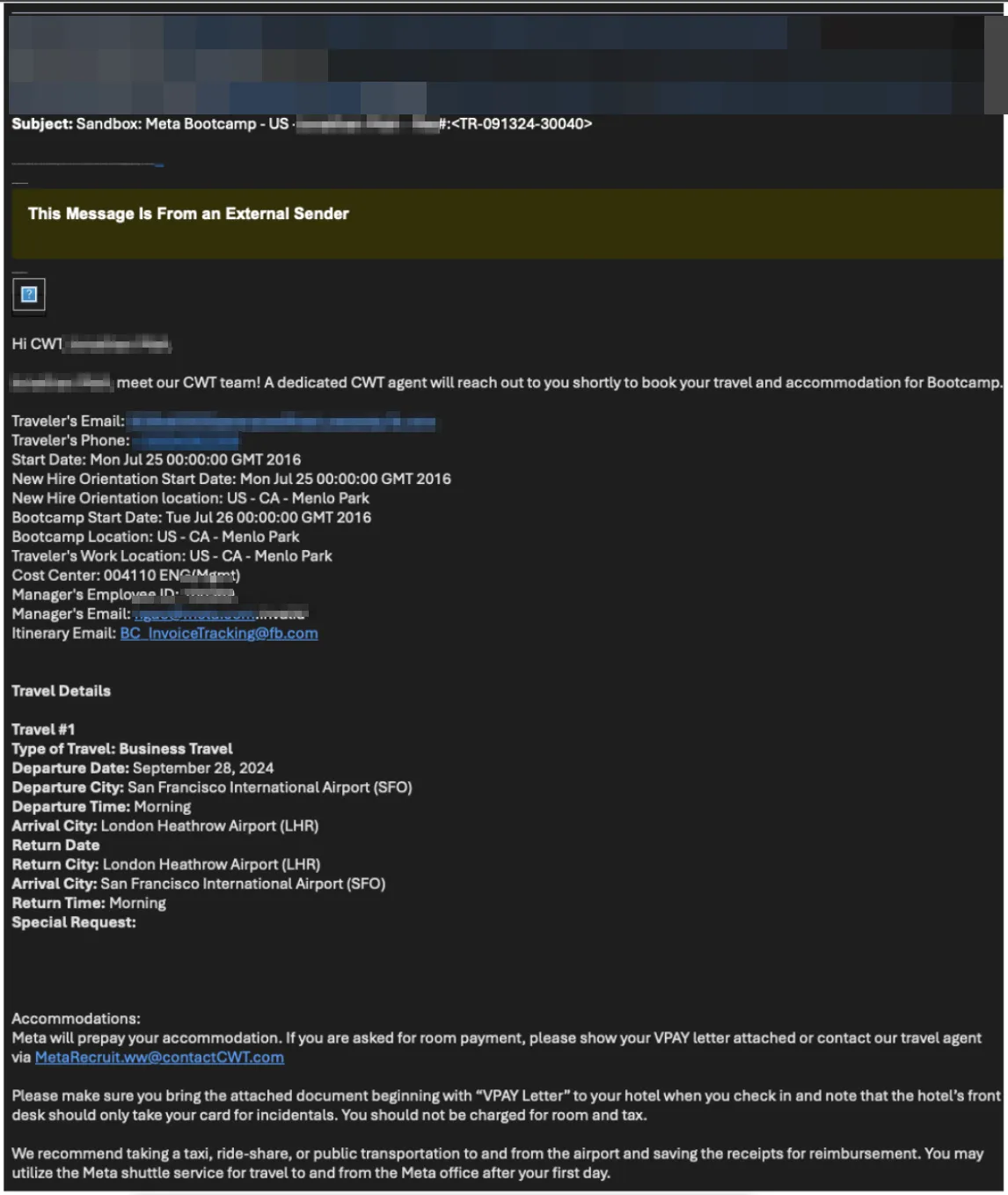
The first email a new hire received about travel was a vendor-generated data dump: no welcome and no clear next step.
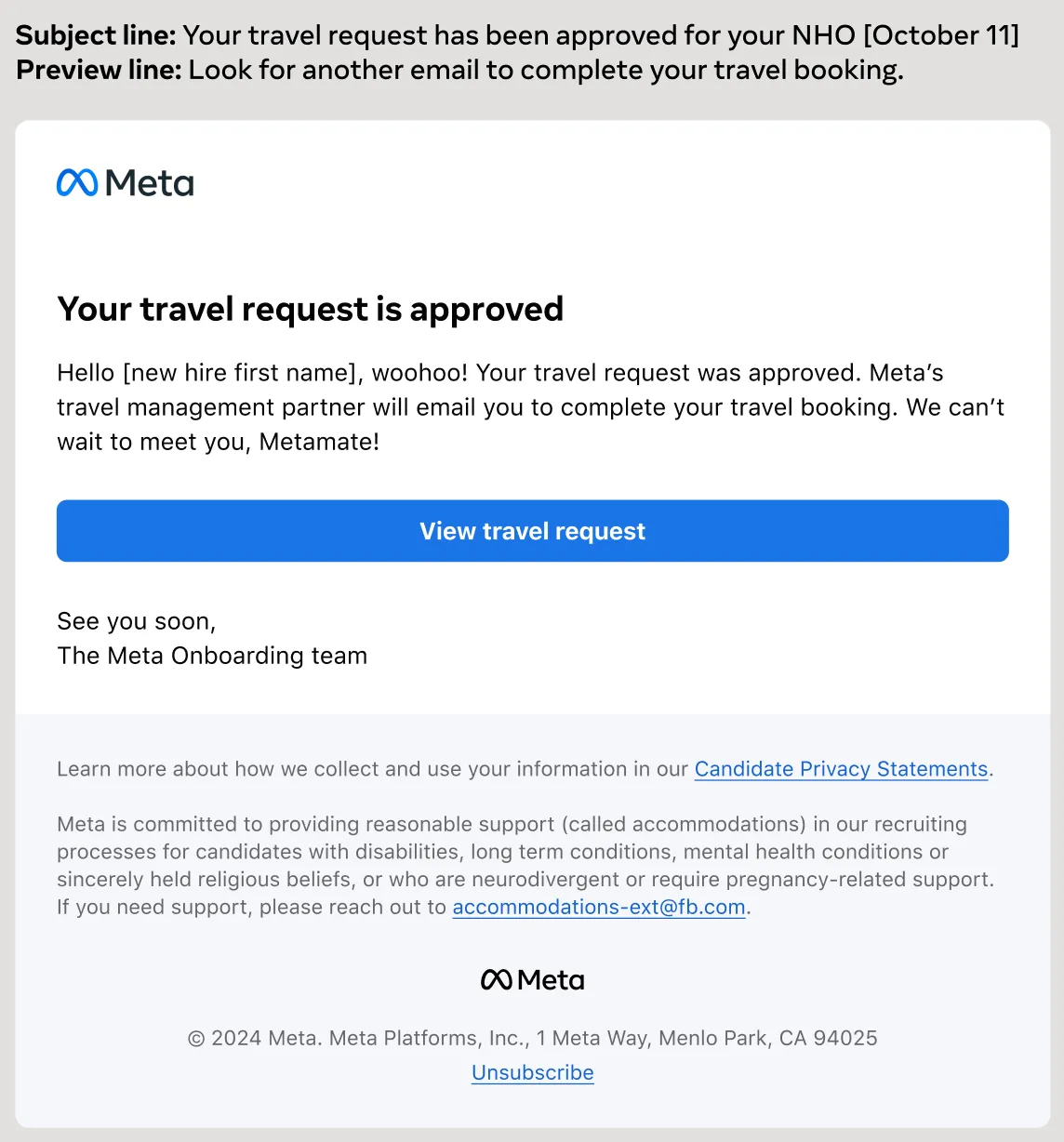
In the redesign, the headline states the purpose, the welcome sounds like Meta, and one button leads into the dashboard. The subject and preview lines work as a pair: what happened, then what to expect next.
One system of emails for each user type
Email was how each audience received the information, so each one got an email built for its job.
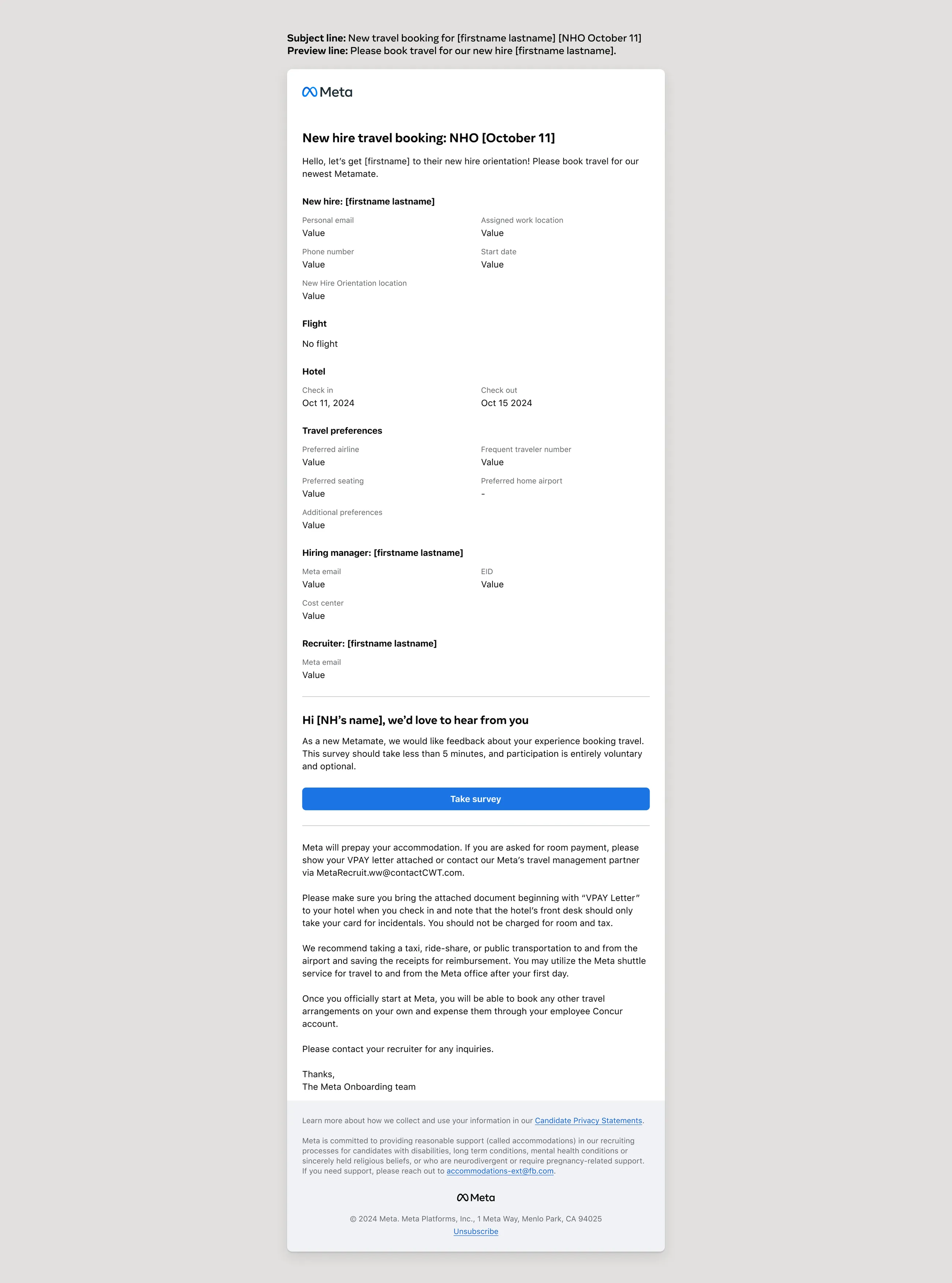
- Travel agency: “Please book travel for our newest Metamate.” Everything needed to book, in labeled groups, with the date in the subject line to help agents prioritize.
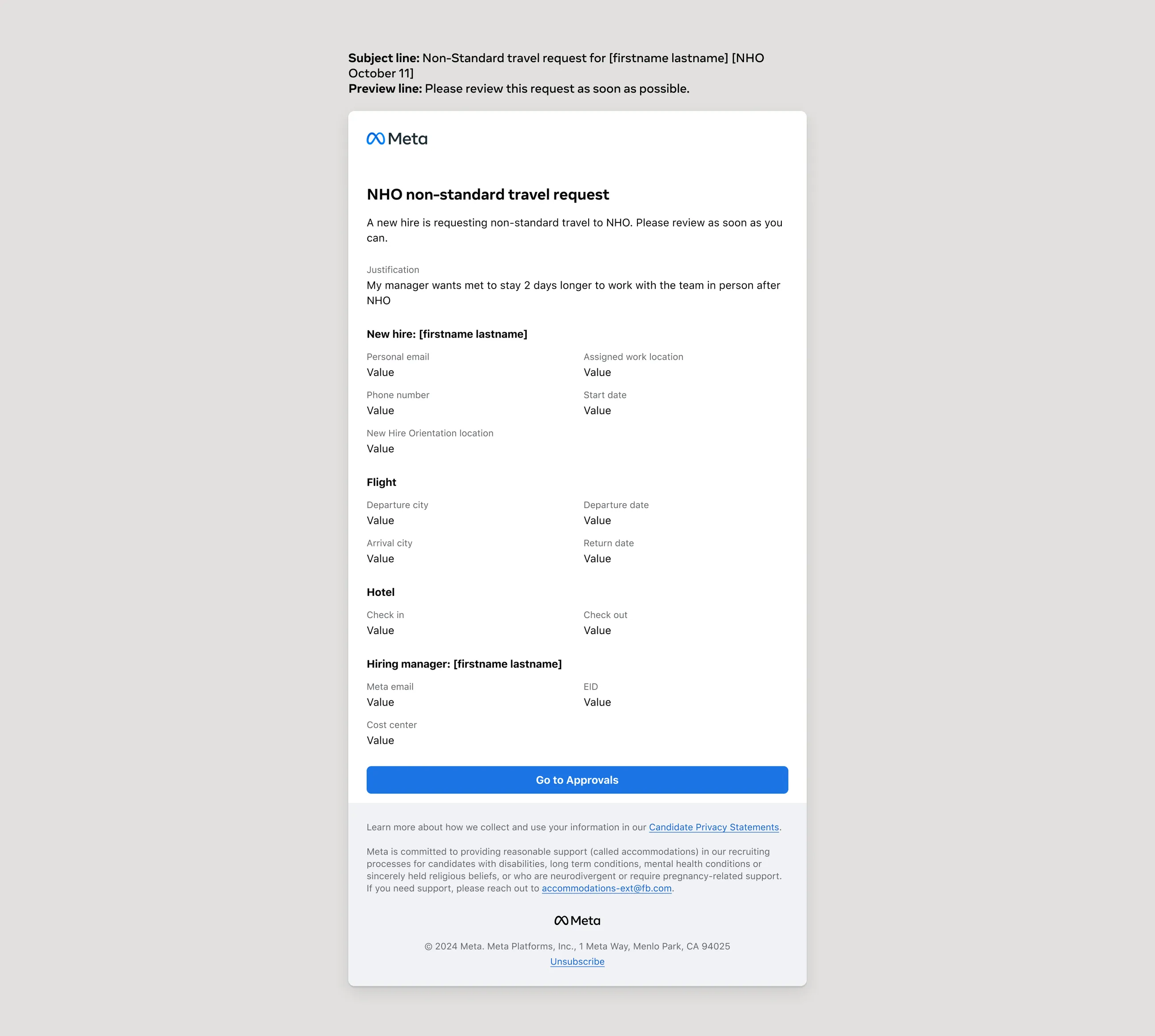
- Approvers: “Please review as soon as you can.” The justification first, then the details, then Go to Approvals tool as the call to action to drive them to act.
The same labels appear in the email, the form and the Approvals tool. When people communicate, they can reference the same fields. Before, those labels had all been different.
A friendly, on-brand dashboard to set the tone for employment
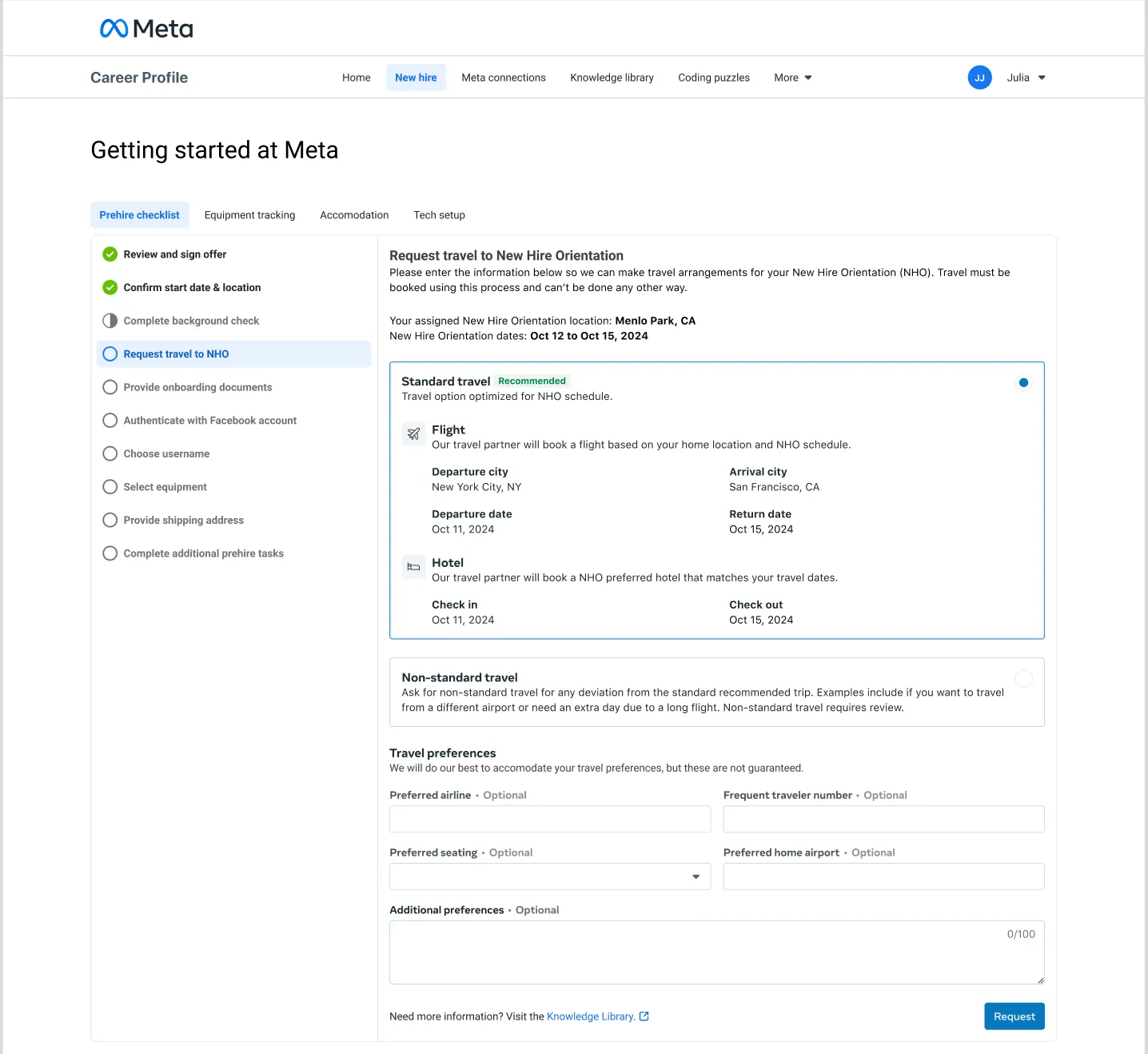
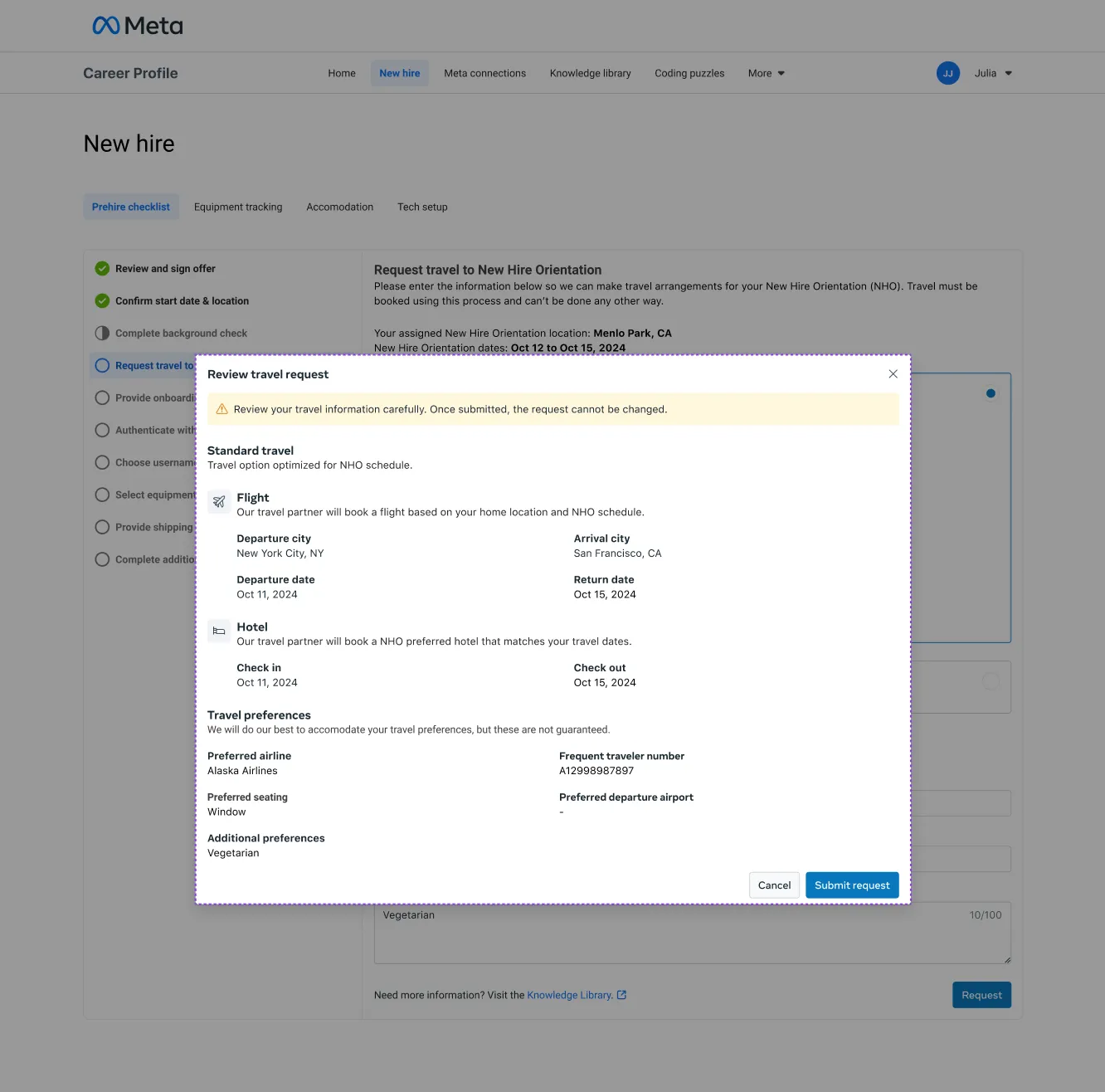
The new hire’s side lives in the pre-hire checklist, and it was designed to set the tone for their employment.
- A clear progress bar tells them what to do next.
- Standard travel is the recommended default, built around the orientation schedule.
- Non-standard travel explains itself with examples, such as an extra day after a long flight, and says up front that it needs manager review.
- Preferences are optional and framed honestly: “We will do our best… but these are not guaranteed.”
Align the data so what changed is clear, and be transparent
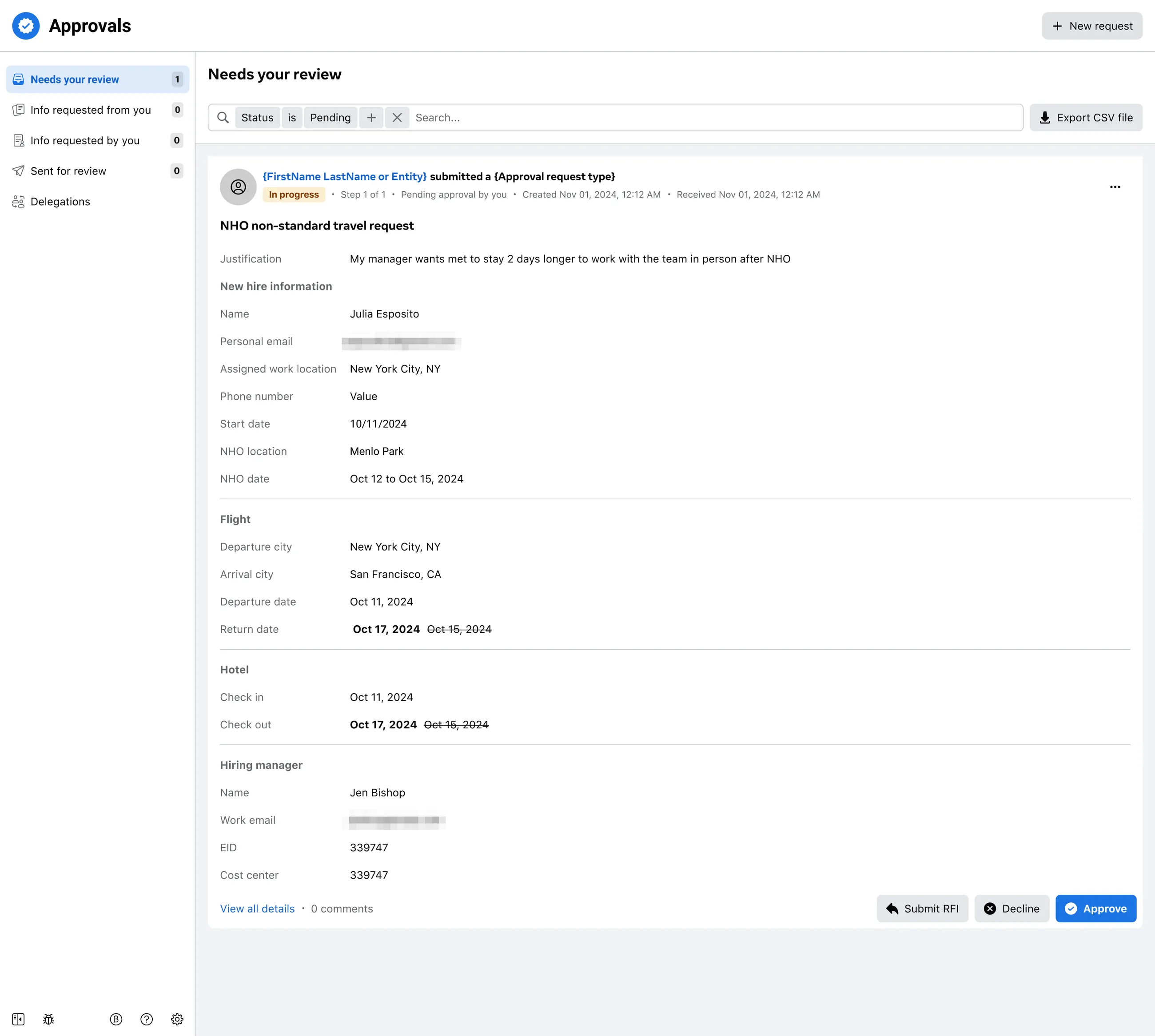
On the reviewer’s side, changed dates appear next to the standard dates, struck through, so the difference is obvious.
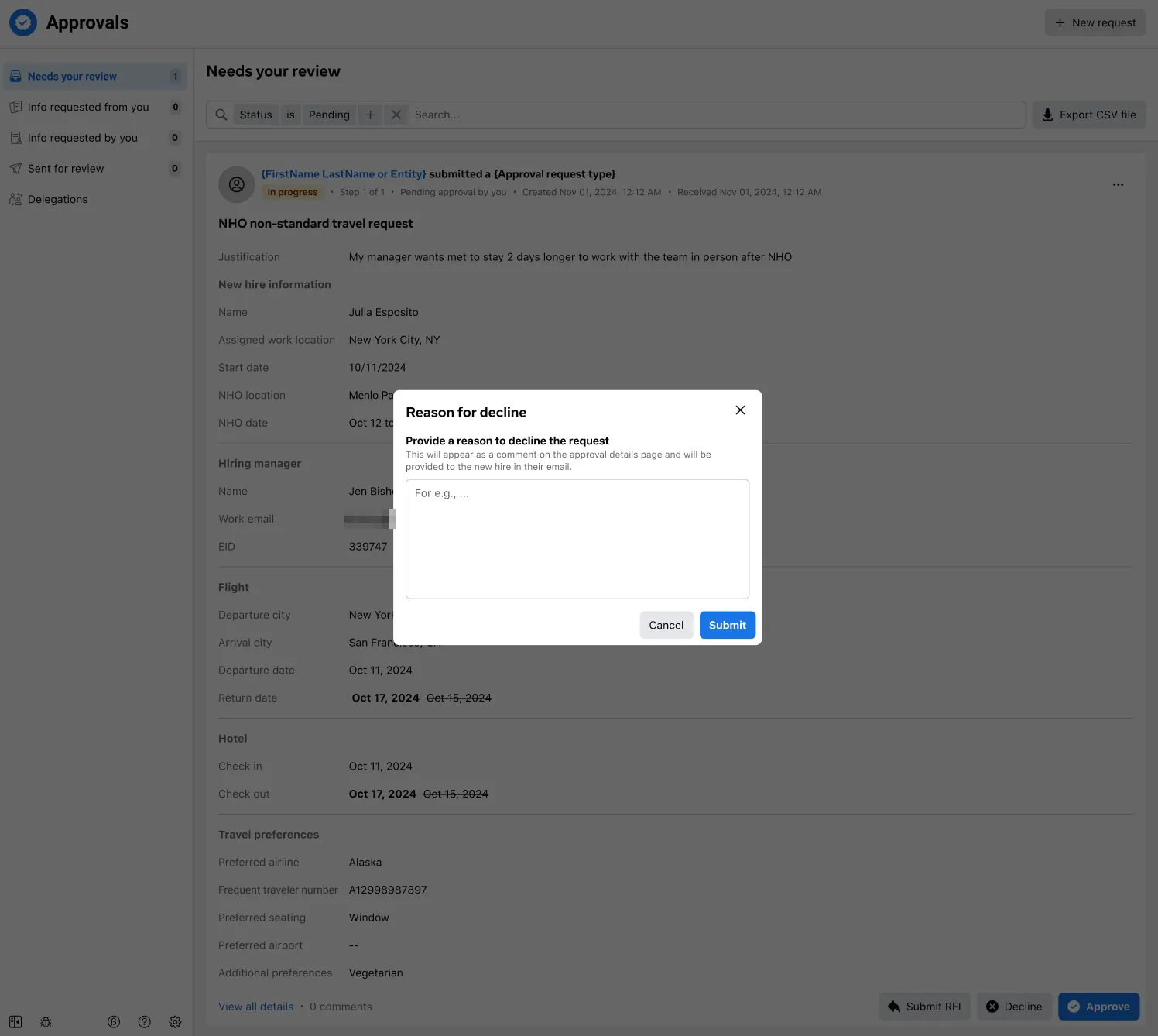
Declining requires a reason. The dialog tells the reviewer that the reason will appear in the new hire’s email. Managers hadn’t known that new hires saw their decline reasons, so they needed to be told clearly. That keeps the tone kind and specific.
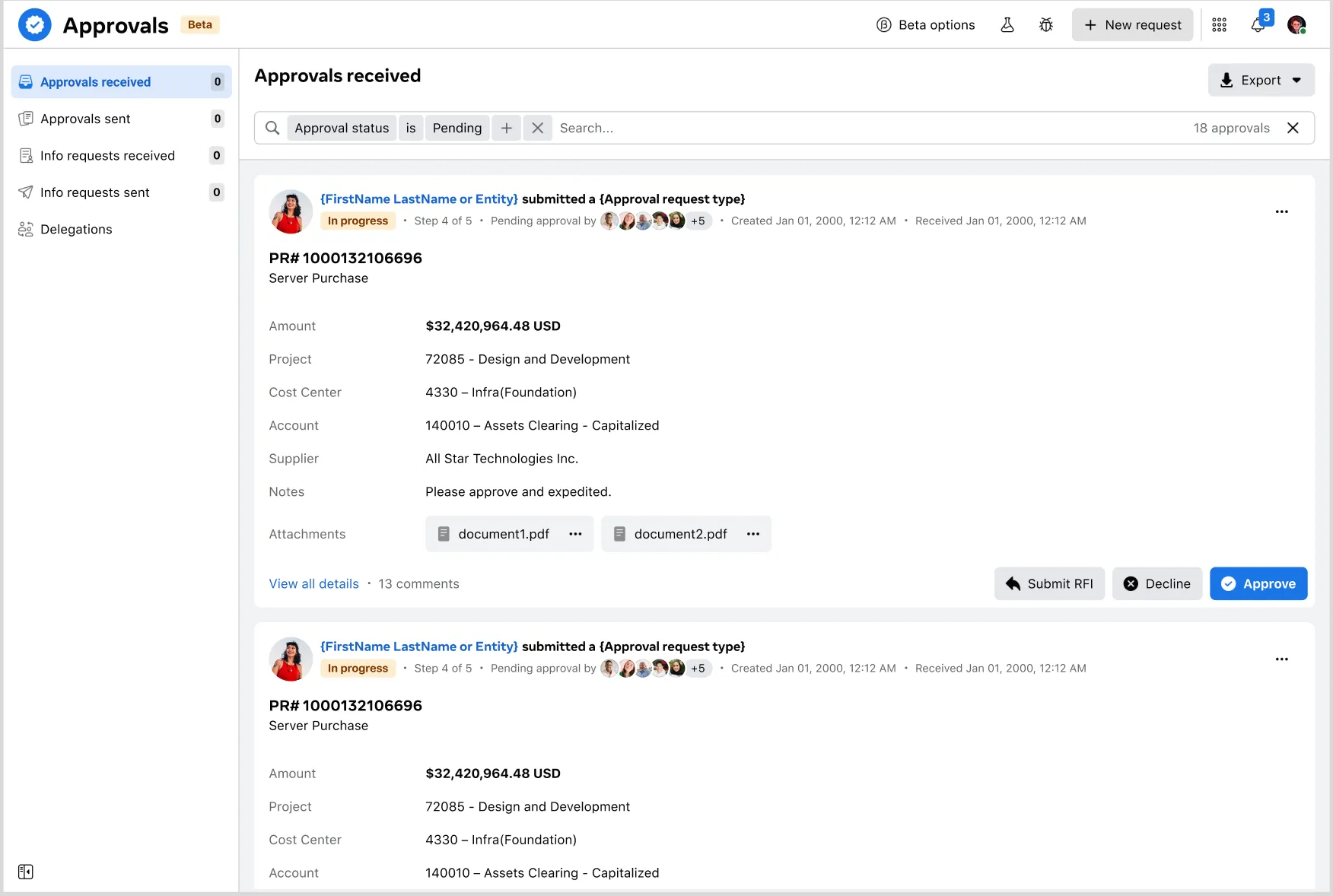
Travel was one request type in an Approvals tool for all of Meta
The Approvals tool also managed several functions for other teams, including new headcount, software requests, and other leadership approvals.
Every request uses one pattern: who submitted what, its status, which step it is on, who it is waiting for, and three clear actions. A new request type reuses the Approvals language instead of inventing its own, so content scales across hundreds of workflows.
What changed
New hires now get a first contact that sounds like Meta, says what happened, and gives them one next step. The travel agency and approvers each get an email built for the job they need to do. The form, the emails and the Approvals tool share one set of labels, and the reviewer’s screen makes changes and decline reasons transparent to everyone involved.
The takeaway: first contact sets the tone. Say what happened, say what’s next, and use the same words everywhere.