Google · 2018–2019
Making an estimate feel like an estimate
Connecting customer expectations, provider pricing and the next step in a service conversation.
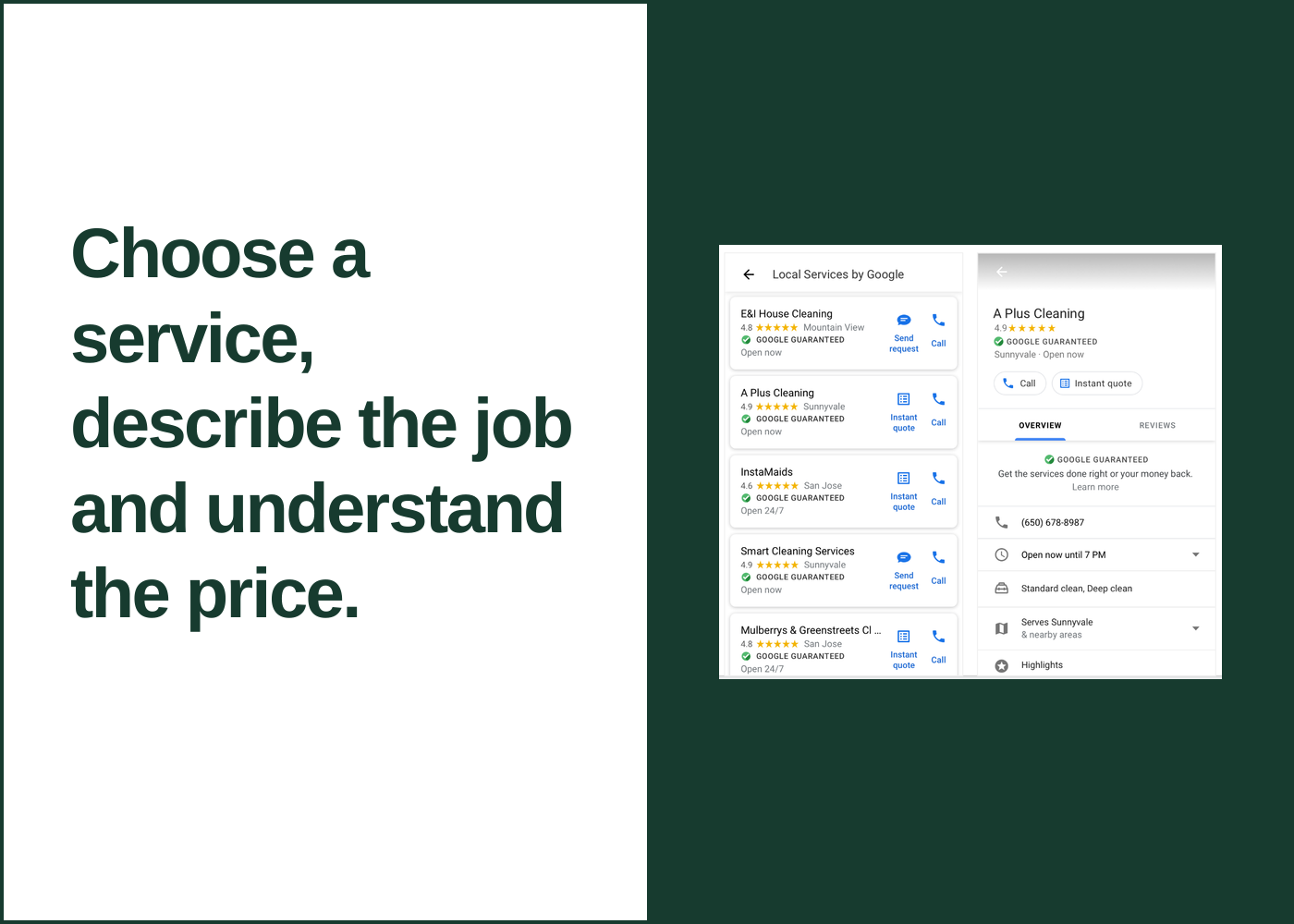 Explore the graphic
 - My role
- UX Writer & Content Strategist
- Period
- 2018–2019
- Project focus
- Content design · Product decisions
At a glance
The work in context.
The problem
Customers needed useful pricing without confusing a variable estimate with a fixed promise.
My contribution
Shaped language across customer quotes, messaging and the provider’s pricing configuration.
The takeaway
The words, input flow and preview need to give both sides the same expectation.
Inside the work
 View larger
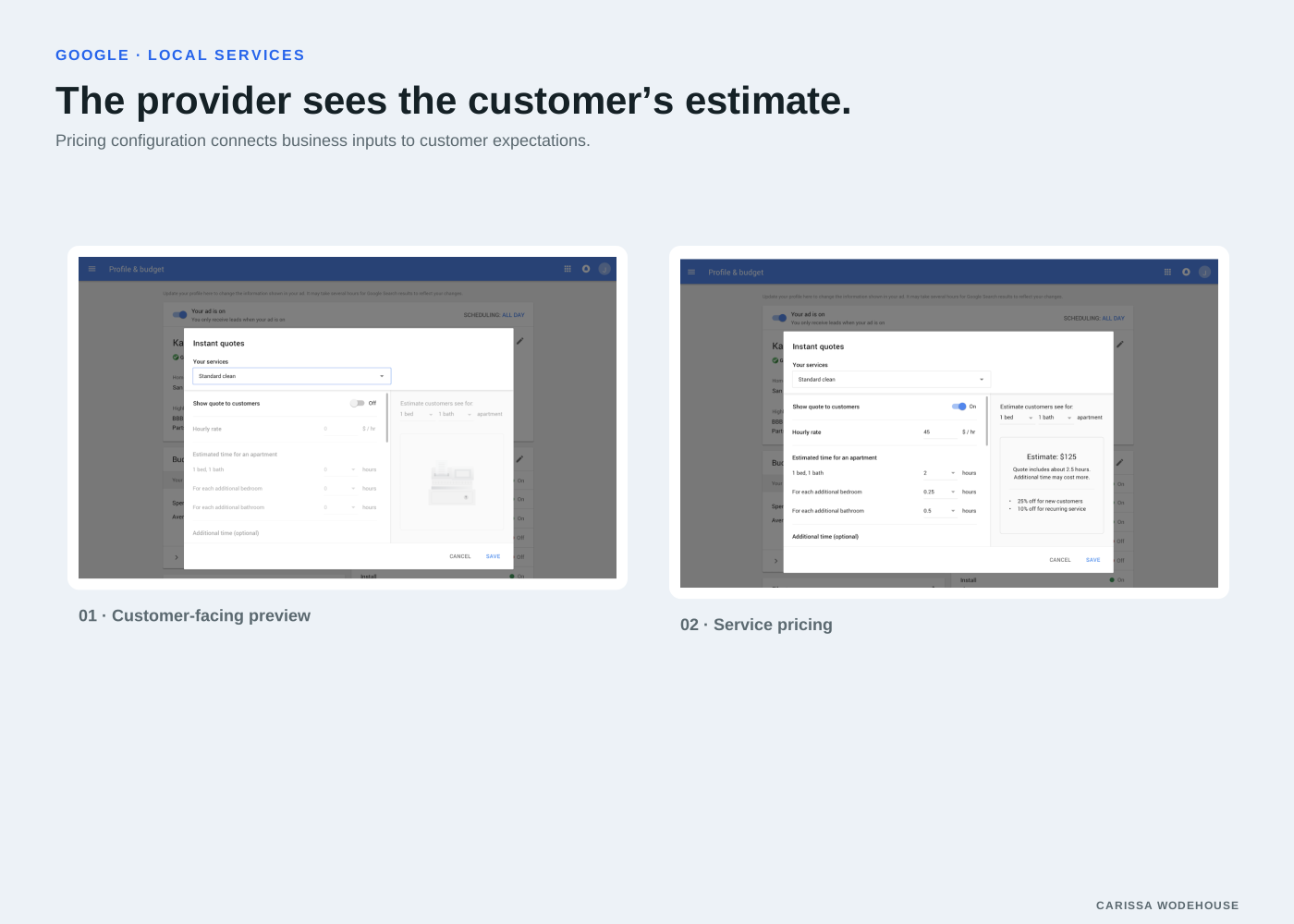
 Pricing configuration connects business inputs to customer expectations.
The challenge
Customers looking for housekeeping services needed to understand likely costs and contact a provider. Businesses needed to offer prices that depended on the details of a job.
The quote experience had to explain what the number meant without making it sound like a promise the provider could not keep.
My role
I worked on the language and content strategy across the customer quote and messaging flow and the provider configuration experience.
A label that matches the information
I used “estimate” after testing more finite terms such as “cost.” The word made businesses more comfortable with the feature and clarified the kind of information they were supplying.
I placed the business name first to emphasize that the quote came from a specific provider. For the next step, “Ask about” pointed toward contact rather than implying a promotional deal.
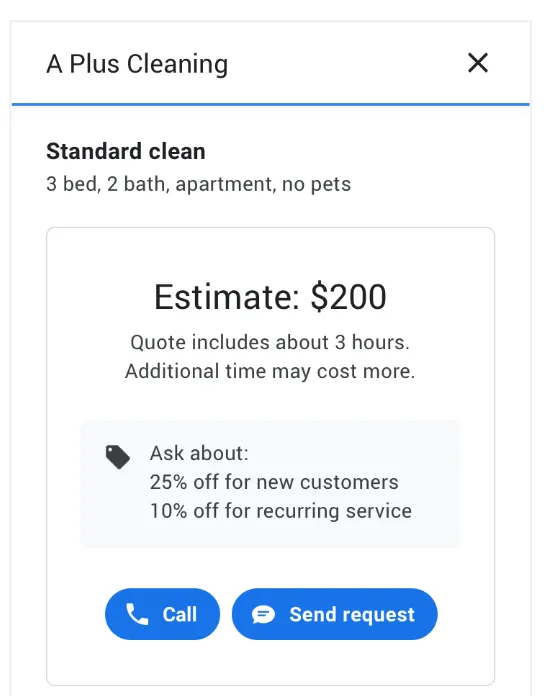
The provider’s name, the estimate and the contact action work together to set an expectation.
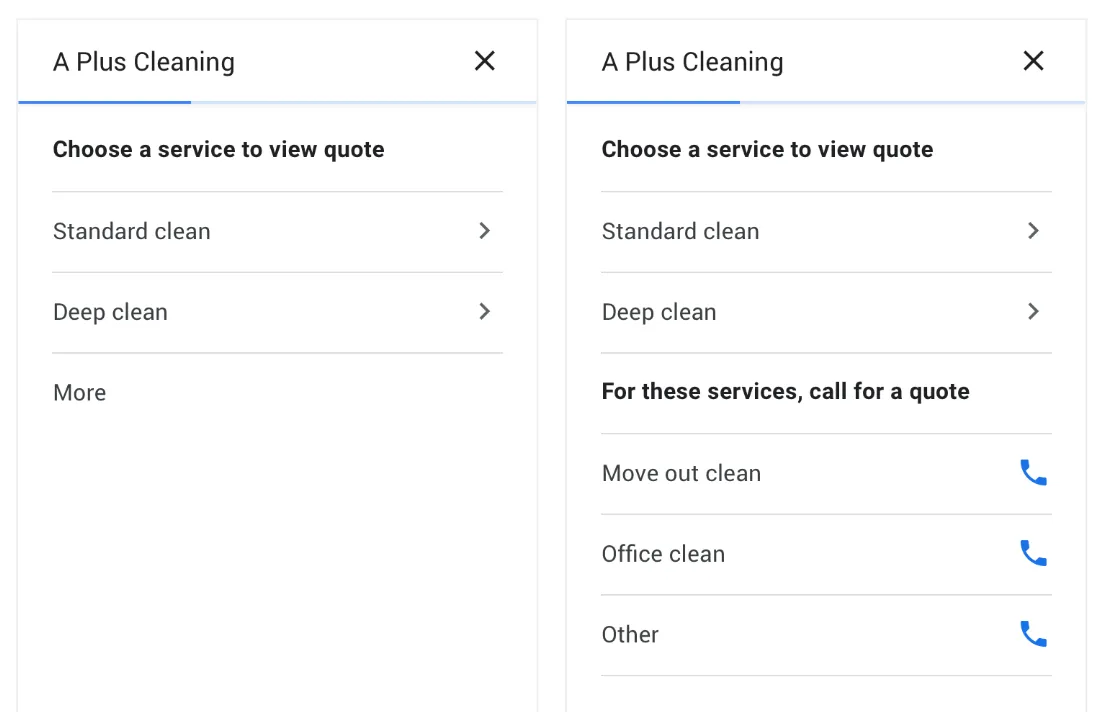
The customer flow starts with the type of service that needs an estimate.
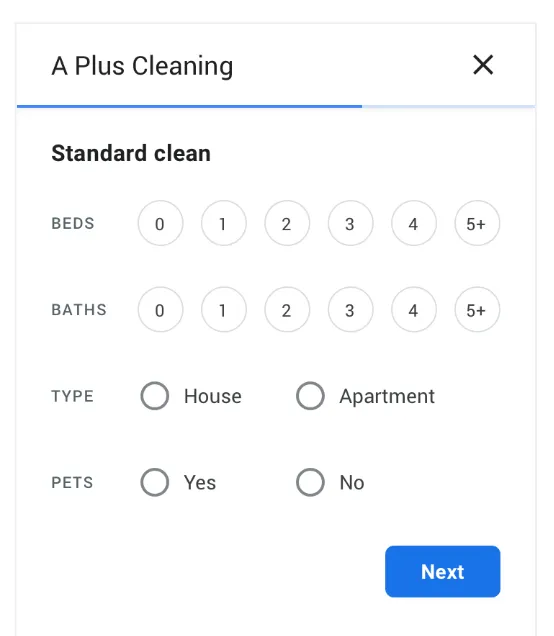
Job details provide the context for the provider’s estimate.
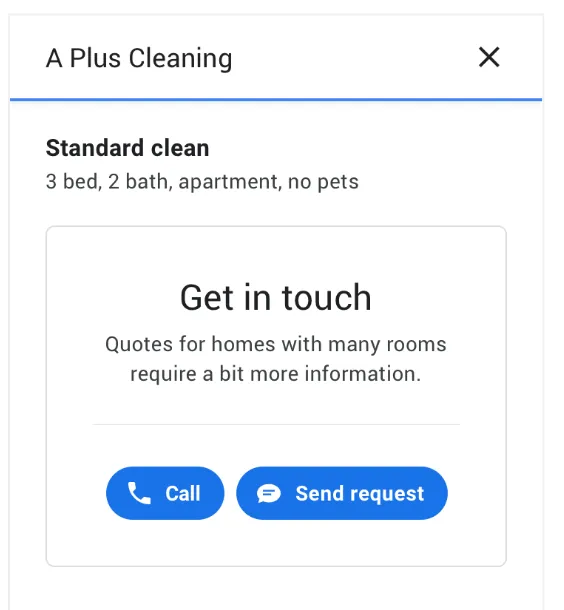
Larger jobs are directed toward a conversation instead of a misleading number.
Helping the provider see the result
The provider interface needed to make pricing inputs understandable as well. Businesses calculated time from a base and needed to know what customers would see.
An “estimate customers see” preview connected configuration to the customer-facing result. That relationship helped make the consequences of an input visible in the interface.
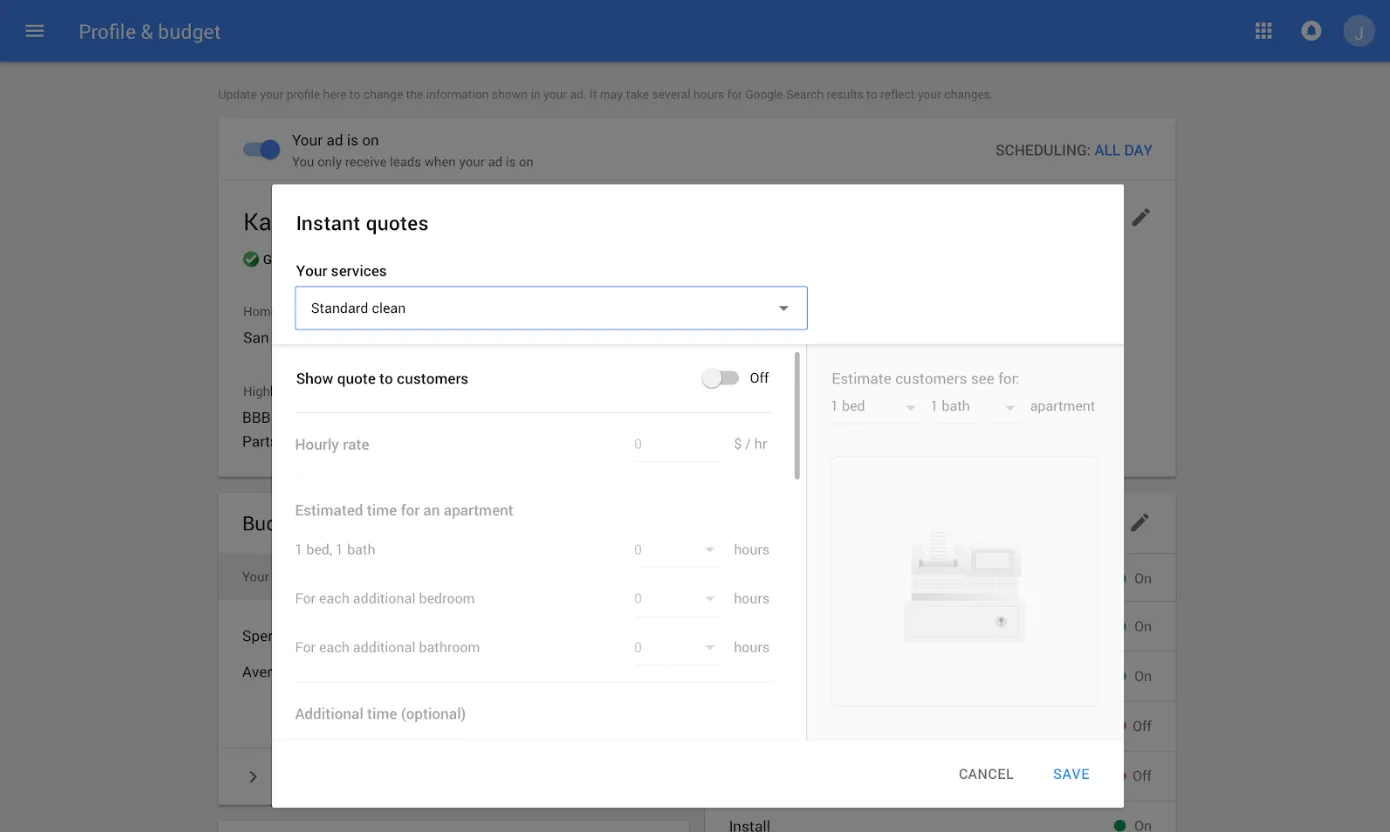
The “estimate customers see” preview connects a business input to its output.
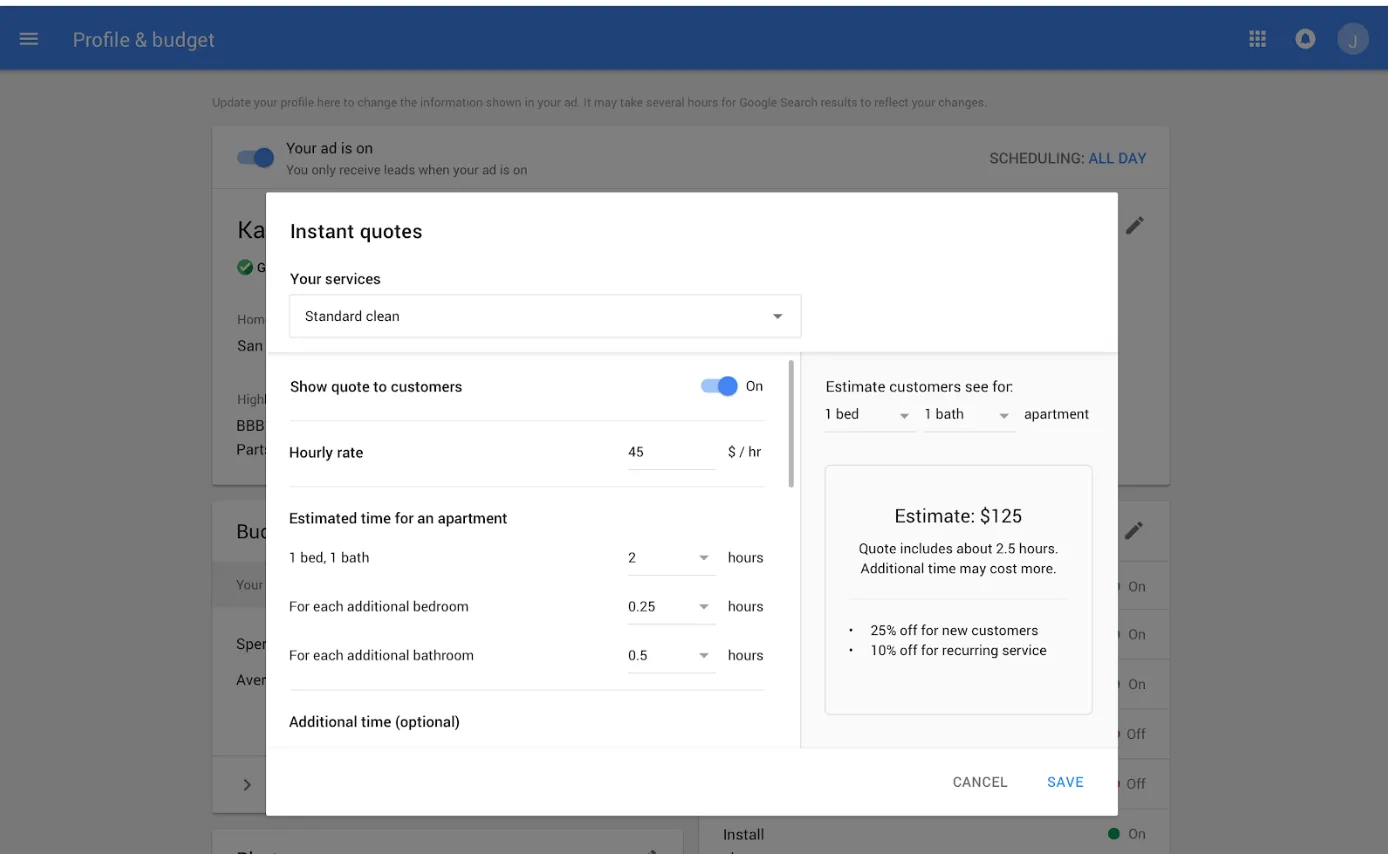
The configuration supports a base price and time associated with the scope of the service.
Carrying the expectation into contact
The messaging flow included pre-populated content and a confirmation message. Each step needed to preserve the connection between the estimate and the conversation that could resolve its remaining details.
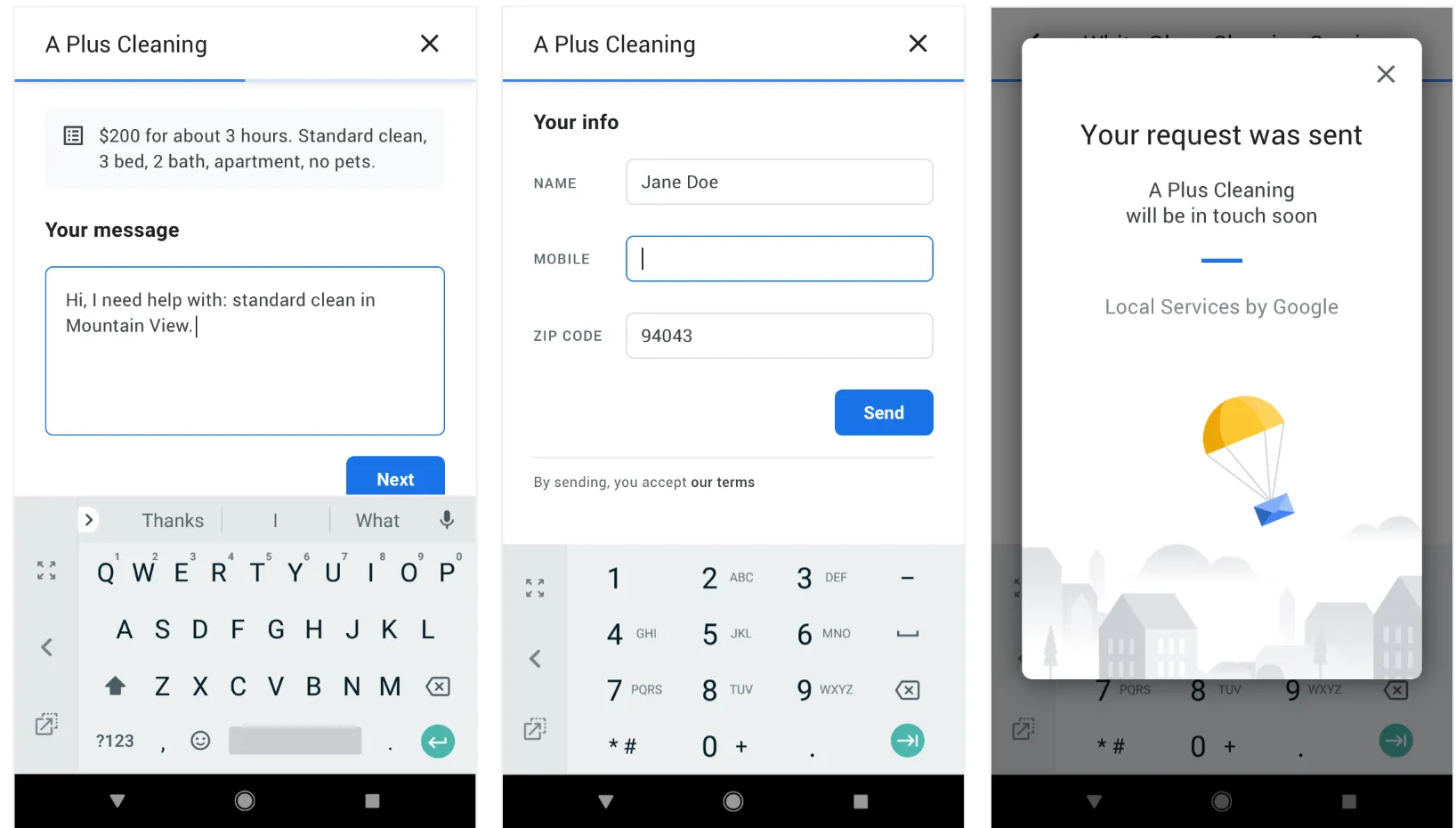
Pre-populated messaging and confirmation preserve the next step in the flow.
What this work shows
A product’s input and output experiences are part of the same content problem. Wording, sequence and preview behavior work together to help both sides form an accurate expectation.